

 Angel
New in Broadcast: Exciting new features in File Requests
Our latest Broadcast update makes managing files from schools even easier, with new features shaped by your feedback to help reduce your workload. You can now share templates and guidance with schools, switch on automated reminders for outstanding files, and make it easier for schools to submit multiple files.
What’s new in Broadcast
- Attach supporting documents to File Requests, including guidelines and templates, to give schools the information they need to complete a request.
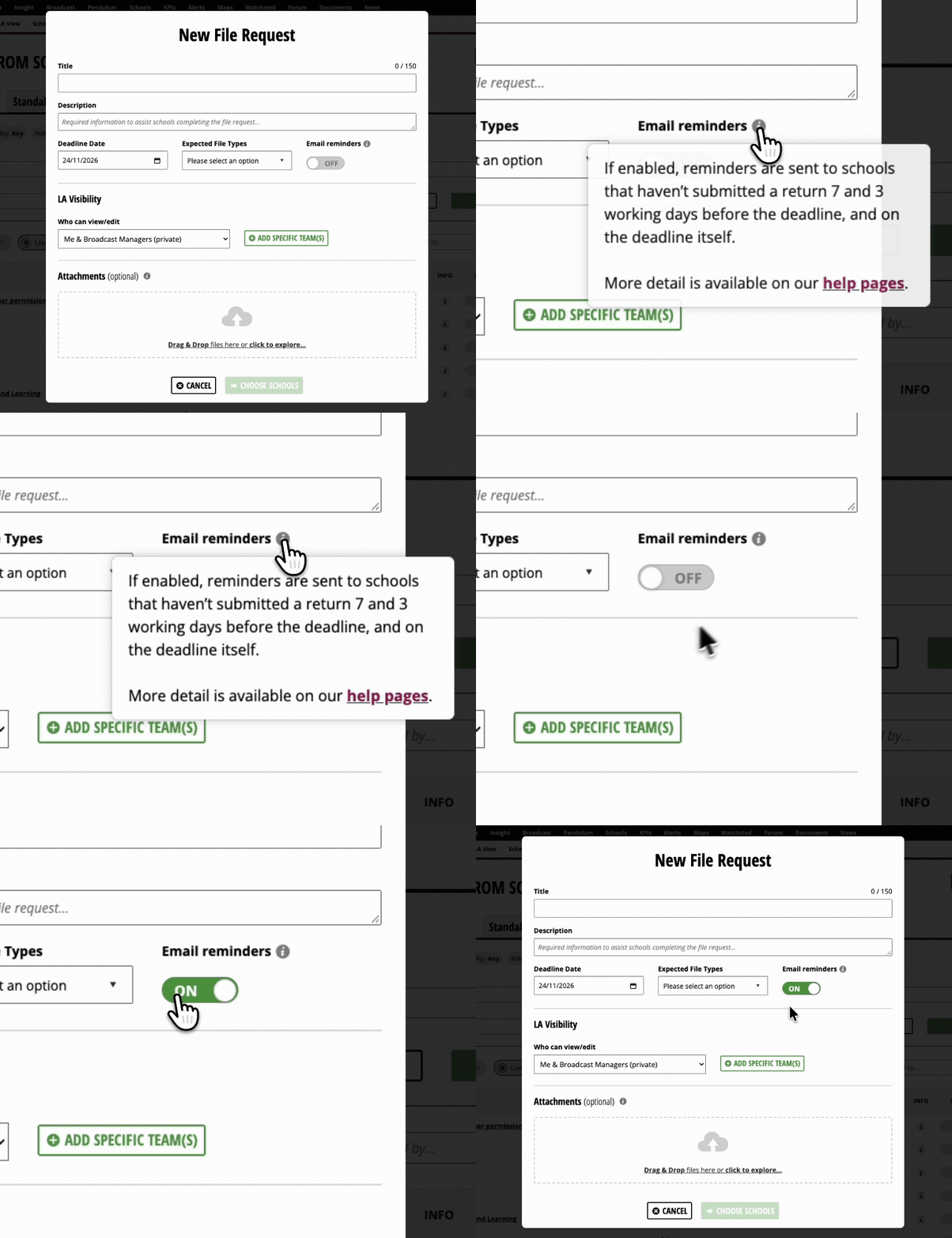
- Spend less time chasing outstanding File Requests, with automated email reminders sent 7 and 3 working days before the deadline and again on the due date. Simply switch reminders on or off for each individual File Request.
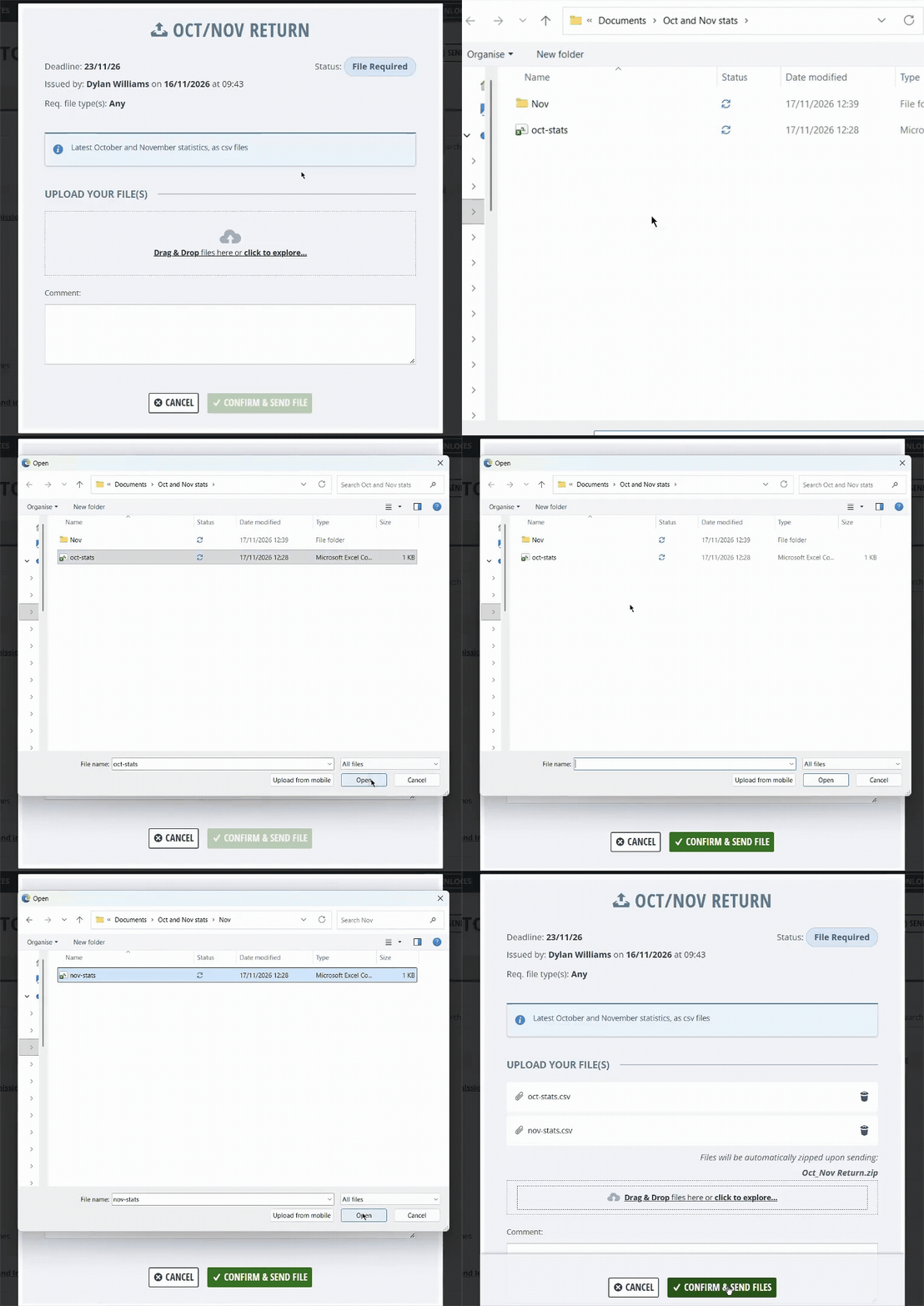
- Give schools more flexibility when returning File Requests, allowing them to select and upload multiple files from different folders in a single response, without having to organise everything into one folder first.
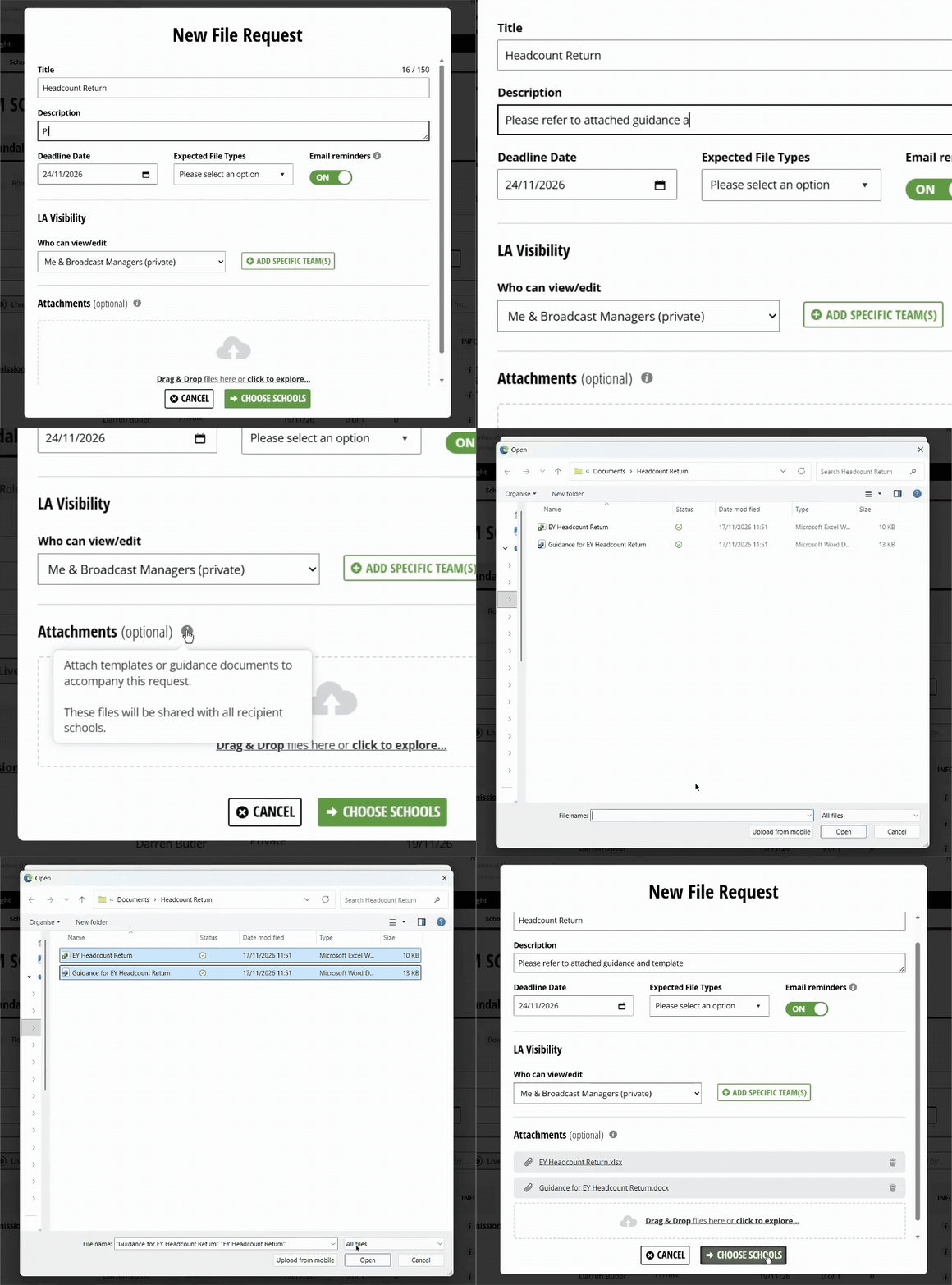
Supporting schools with the right information
You can attach templates and guidance directly to a File Request, giving schools and providers the documents they need alongside their request.
And remember, if you need to send individual schools or providers their own pre-populated templates or documents containing setting-specific information, you need to use Confidential Files in Broadcast instead. Read our help guides on Confidential Files here.
Spend less time chasing responses
Email reminders can help reduce the time spent following up with schools who have outstanding File Requests.
When enabled, reminders are automatically sent 7 working days before the due date, 3 working days before and again on the due date, helping prompt schools to return their files without the need for manual chasing.
Reminders are switched off by default, but you can easily turn them on using the toggle for each individual File Request. This gives you control over which requests need reminders while helping reduce the administrative workload for your team.
Making file returns easier in Perspective Lite
Schools can now upload multiple files from different folders and submit them together in one go. There’s no need to gather everything into one folder first, saving schools time and reducing the number of separate submissions for your LA to manage.
Together, these improvements can help reduce ad-hoc emails, cut down on manual administration and keep information organised securely within Broadcast.
Could File Requests have a wider role across your teams?
From School Improvement and SEND to Early Years, Finance and Safeguarding, there may be opportunities for colleagues to make more use of Broadcast Plus for their everyday information-sharing and collection needs.
Interested in finding out more? Get in touch with your Account Manager gillian.heath@angelsolutions.co.uk
Making more of File Requests
File Requests can be used for more than traditional data collections. They’re also a useful way to gather information, supporting evidence and documents from schools throughout the year. This could include safeguarding updates, SEND and inclusion information, funding evidence or regular monitoring returns.
And why stop at schools? Broadcast Plus can also support communication and file sharing with Private, Voluntary and Independent (PVI) early years providers, who can access Perspective Lite to securely send and receive information. Think Early Years headcount returns, funding documentation, provider updates and safeguarding information.
It’s a great opportunity to explore how other teams across your LA could benefit from using Broadcast Plus. Interested in finding out more? Contact your Account Manager.
Need a Broadcast refresh?
Whether you want to get new colleagues up to speed, revisit existing functionality, review your setup or explore how different teams could make better use of Broadcast, we can help. Contact your Account Manager gillian.heath@angelsolutions.co.uk to discuss what would work best for your teams.
Log in to Broadcast
Why not get started right away? Explore the latest File Request updates and see how they can support your existing processes.