

 Angel
Angel New in Observatory Visits: An optional QA step for Visit Reports
Our latest Observatory update is now live, introducing a new optional QA step for Visits.
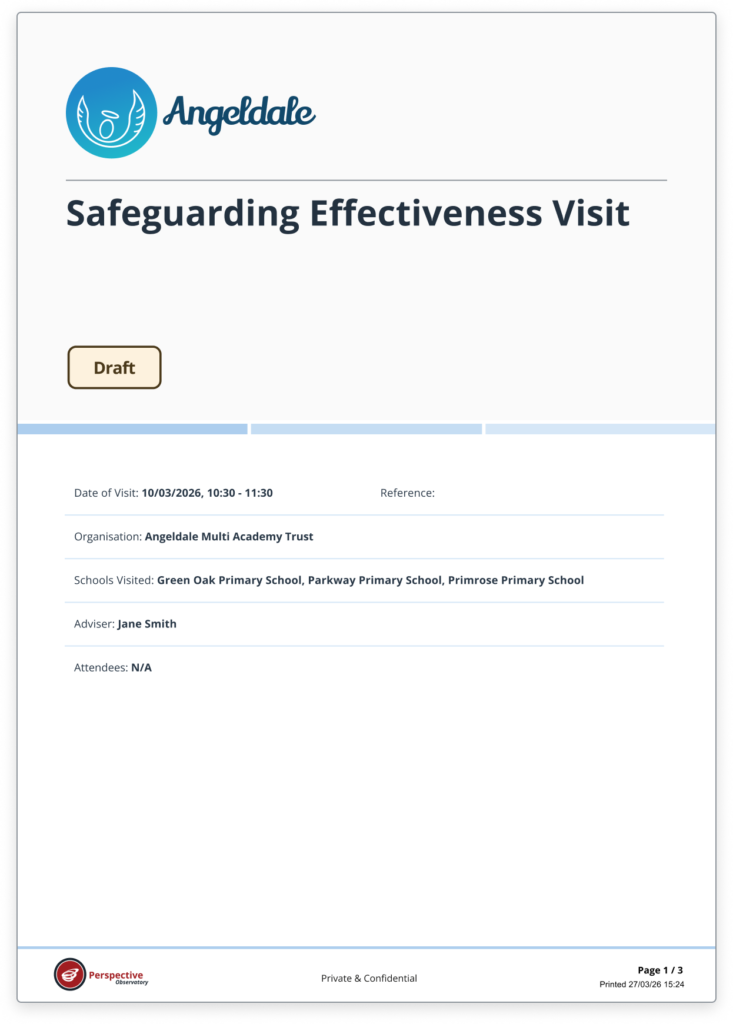
We’re calling it the “QA step”, but you might know this part of your own process as something different – essentially, it’s the point where you send a Visit Report to a school to check its accuracy and provide feedback before it’s finalised.
When you’re ready to finalise a Visit Report, you can now choose to send it to an appropriate person at the school first, giving them an opportunity to check that the information within it is accurate before the report is finalised and shared more widely.
And importantly, this is completely optional. You decide when the QA step is appropriate and when you want to continue finalising Visits as you do today.
Accurate doesn’t necessarily mean agreed
The QA step isn’t about asking a school to agree with the findings or judgments within a Visit Report.
It’s about giving them the opportunity to confirm that the report is accurate – or to flag something they believe needs correcting.
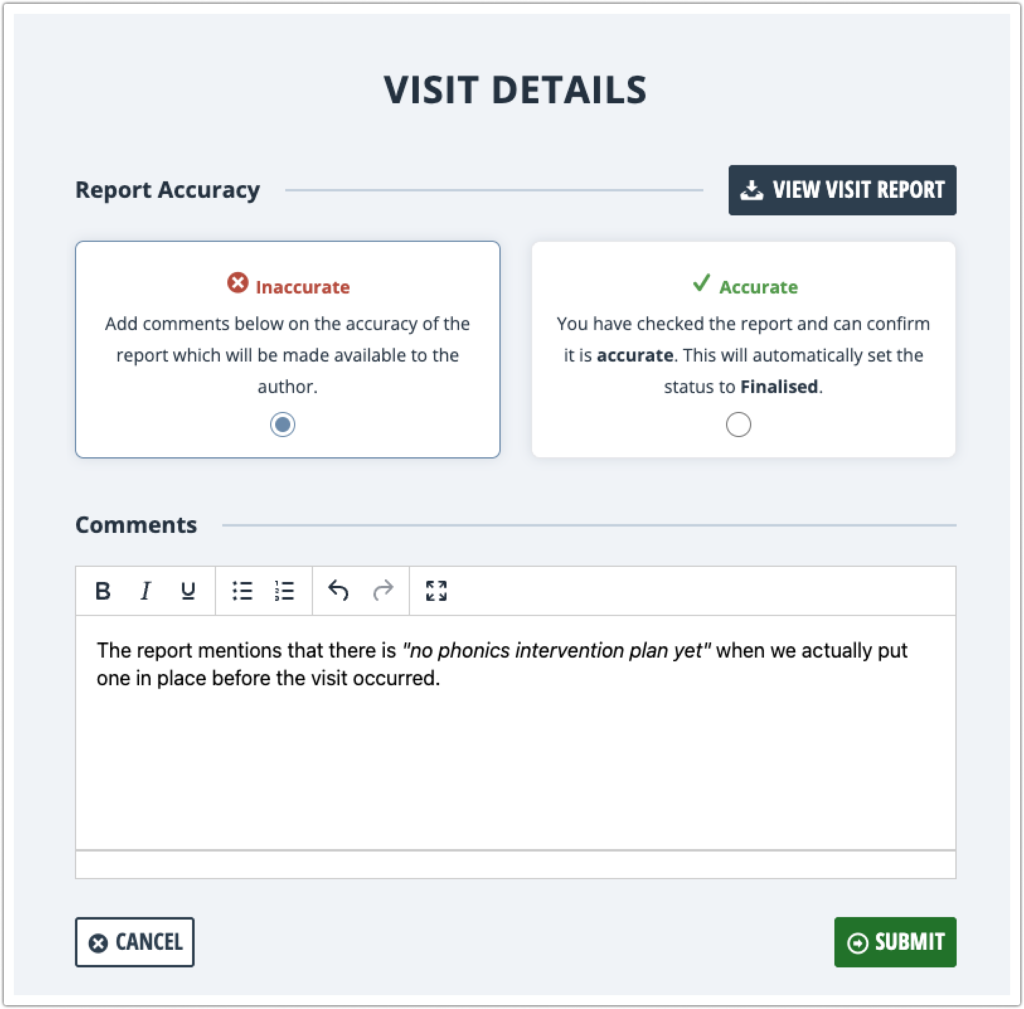
When you send a single-school Visit for QA, the nominated reviewer can:
- Mark it as Accurate if the information is correct. The Visit can then be finalised and made available according to your existing school visibility settings.
- Mark it as Inaccurate and add a comment explaining what they believe needs correcting. It is sent back to the report owner to review and make any appropriate changes before finalising.
The school never edits your Visit Report – you remain in control throughout.
Until the QA process is complete, the report remains visible only to those involved in the QA process. Once finalised, your existing visibility settings determine who else at the school can access it.
Less emailing. A clearer evidence trail.
For organisations that currently email Visit Reports to schools for checking, the new QA step brings that process directly into Observatory.
Reviewers receive notifications when a report is ready to check and when their deadline is approaching, while Visit owners are notified as soon as they respond. Automatic finalisation can also keep the process moving where no response is received.
And because the process happens within Observatory, you have a much clearer record of what was shared, who reviewed it, whether its accuracy was queried and what happened next.
That can provide a valuable evidence trail when demonstrating your approach to school oversight – whether during inspection, responding to scrutiny or simply ensuring greater transparency and consistency across your organisation.
Improved Visit Report Design
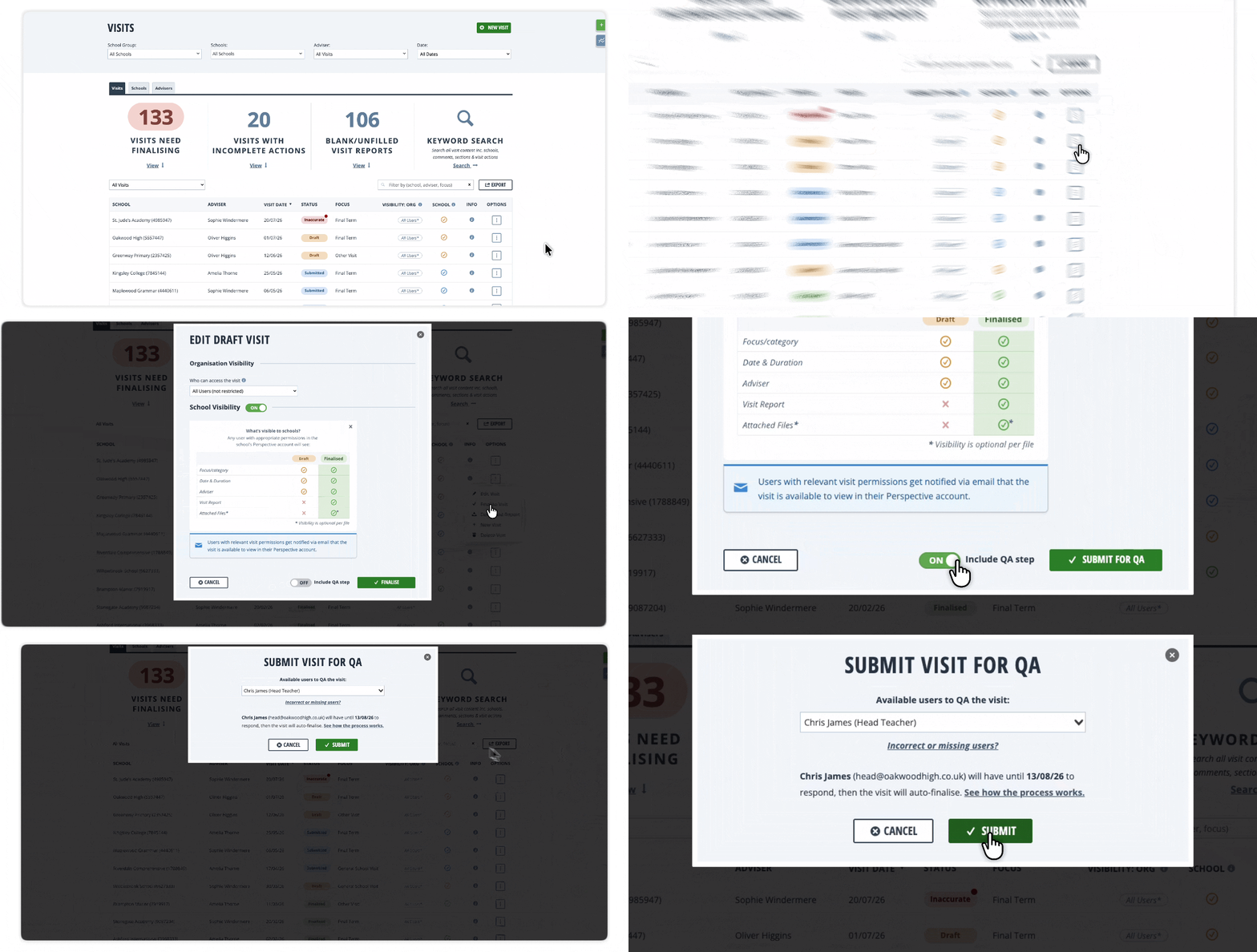
We’ve also refreshed the design of Visit Reports, with improvements to the front cover and presentation of key information.
“Private & Confidential” now appears throughout the report, alongside updated footers for a clearer, more professional finished document.
See the new QA step in action:
Join our upcoming webinar to see how the optional QA step works in practice and how you might use it within your own Visits process.
We’ll cover:
- When and how to use the optional QA step
- Choosing who at the school should check a Visit
- The important difference between Accurate and Agreed
- What happens when a Visit is marked Accurate or Inaccurate
- How QA works alongside your existing school visibility settings
- Notifications, deadlines and automatic finalisation
- Building a clearer evidence trail without emailing reports back and forth
Choose a session:
Not yet a Premium user?
If you’d like to see how other MATs and Dioceses are using Observatory Premium to improve decision-making, streamline central insight and drive strategic growth, we can show you.
Alongside MATchmaker, Premium unlocks Visits & Actions, a KPI toolkit, and our MIS data-cleaning and analysis tools.